

About SCW &
Live Stream Mania®
Where the Fitness World Went Virtual – Learn about Live Stream Mania®
Trusted Wherever You Learn
Login, Learn & Earn. It's That Simple.
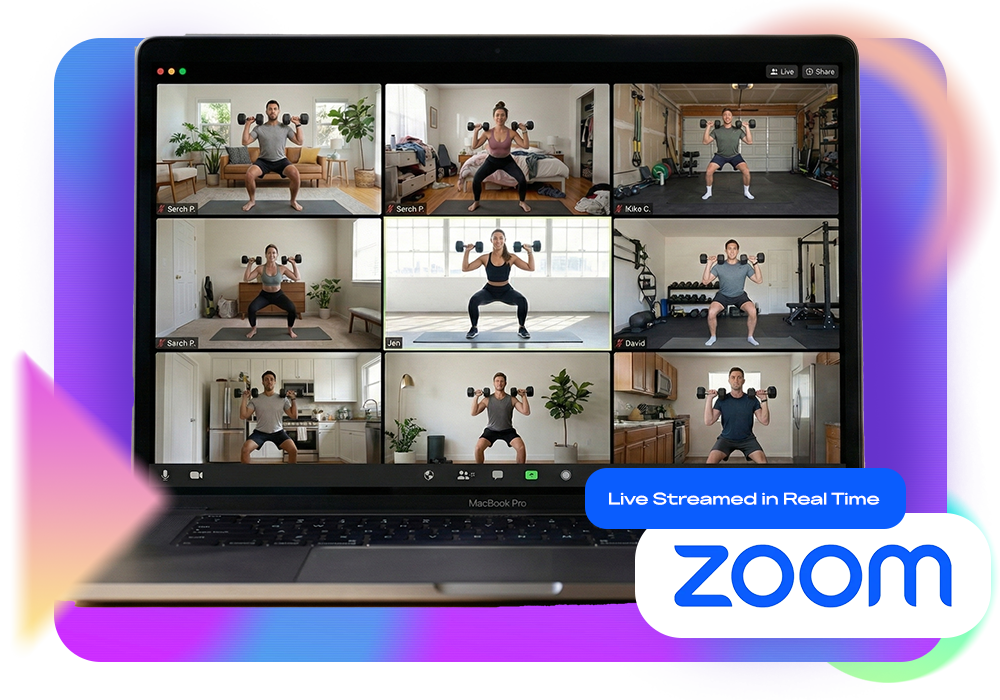
Learning at a Live Stream Mania® convention is seamless and engaging – get the full energy and education of a live event with total flexibility! Join any class, never miss a session, and learn from top educators, all easily from home on ZOOM. Plus, you earn the same CECS as an in-person convention, making it the smartest, most convenient way to level up.
Connecting Fitness Pros Worldwide
Keeping you Recharged. Refreshed. Ready To Go.
The fitness industry is constantly evolving and moving at a rapid pace. Live Stream Mania® Online Fitness Pro Conventions are designed to keep you informed about the latest trends and in the fitness world. Topics include:
- Active Aging
- Aqua
- Barre
- Business / Leadership
- Cardio
- Combat / Kickboxing
- Core
- Corrective Exercise
- Dance
- Exercise Science
- Finances
- Flexibility
- Foam Rolling / Fascia
- Function / Balance
- Functional Fitness
- Functional Training
- Group Exercise
- HIIT / LIIT
- Kettlebells
- Kickboxing
- Legs
- Lifestyle
- Management
- Marketing
- Mind / Body
- Mobility / Flexibility
- Myofascial Release
- Nutrition
- Personal Training
- Pilates
- Programming
- Recovery
- Retention
- Sculpting
- Social Media
- Step
- Strength
- Tech & Trends
- Toning
- Yoga / T’ai Chi
See Why Thousands of Fitness Pros Choose Mania®
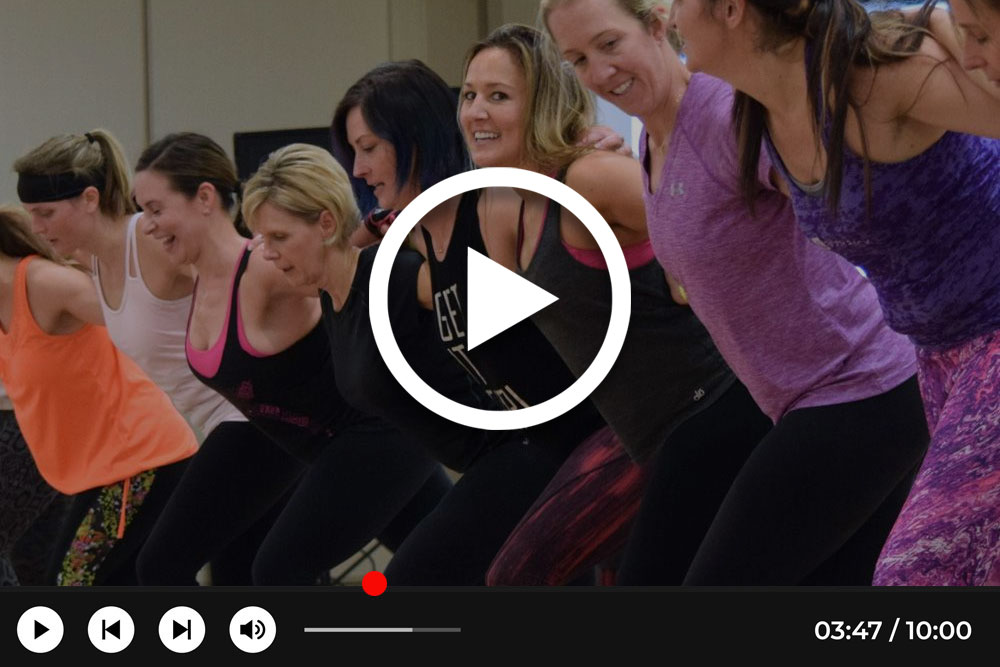
Watch the official Mania® video and experience the energy, excitement, and education that set this event apart. From world-renowned presenters to hands-on certifications, inspiring keynotes, and career-changing sessions, Mania® is more than a convention — it’s where fitness professionals grow, connect, and thrive.

Think You Missed Out? Think Again!
We know you can’t attend every session you want, which is why we offer all-access registration: 108 recorded sessions (60 from Live Stream Mania® plus 48 from recent events) available anytime, anywhere.
With all-access, you get 60 days of unlimited viewing for just $60 more than Live Only – watch one session, one day, or the entire weekend on your schedule.
Can’t join live? No problem! All-access gives you full access to every recording plus more, so you never miss a moment.
Live-Stream Mania® FAQs
What is Live-Stream MANIA®?
Live-Stream MANIA® is a Virtual MANIA® Conference that is similar to our Live “In Person” MANIA® Conventions, but our streaming option provides you with the option to earn your Continuing Education Credits (CECs) from the comfort and convenience of your own home. The experience is completely live and interactive! Live-Stream MANIA® uses the Zoom Video conferencing platform on your desktop computer, laptop computer, tablet, phone or other device to give you access to our renowned Instructors
How is Live-Stream MANIA® different from a Live Onsite MANIA®?
Live-Stream MANIA® is different from a Live Onsite MANIA® because it is conducted in real time with live participation from the comfort of your own home via Zoom Video conferencing. Our Onsite MANIA® Conferences are held “in person” at one of our MANIA® Hotel locations throughout the United States.
How is Live-Stream MANIA® different from CEC Video Courses?
Live-Stream MANIA® is different from CEC Video Courses because you have access to a Live Presenter and participating attendees via Zoom Video conferencing in real time. CEC Video Courses provide the practical information via recorded Course Videos. With our Live-Stream MANIA® option, you have access to many of our renowned Presenters from the comfort and convenience of your own home.
Will I receive a confirmation email/letter when enrolling in Live-Stream MANIA®?
You will receive a confirmation email/letter when you enroll for Live-Stream MANIA®. Please check your spam/junk email folders to ensure the email has not ended up in one of those folders. Additionally, please keep this email in a safe place for future reference.
Will the Live-Stream MANIA® Conference be recorded, so you can go back and review the sessions & receive Continuing Educations Credits (CEC’s)?
If you have registered for the ALL-ACCESS option, you may watch recordings of the live sessions for 1 month after the conference.
When should I join each Live-Stream MANIA® session?
You should join your session 5 minutes prior to the start time. Those who arrive early will see a notice about the session beginning soon. You will click on the link provided in the Live-Stream MANIA® schedule (accessible after registration) to join the session and Zoom will guide you directly to the session – either in the Zoom app or on a web browser on your PC. Please use your full name that you registered with when joining your Live-Stream MANIA® sessions.
Can I participate with a friend?
You can participate with a friend, but you both must register and pay individually for the conference. Participating with a friend is a great idea because you can support each other throughout the entire process.
Will there be food & bathroom breaks?
There will be a 15-minute break between each session. There will also be a 30-minute break for lunch during the middle of the day. If you need to take any breaks during a session, please feel free to do so and let the presenter know by typing the information into the Zoom chat box.
How do I upgrade my Live Only MANIA® pass to the ALL-ACCESS (LIVE & RECORDED) pass?
To upgrade your membership, login to My Account and select the Payments tab to change.
What is Zoom?
Zoom is an easy, reliable platform for video and audio conferencing that works with all types of devices such as a desktop computer, laptop computer, tablet, phone and similar devices with internet availability. With SCW Live-Stream MANIA® and Zoom, you receive the benefits of a Live Event while participating in real time with live access to a renowned instructor. You can also participate from the convenience and comfort of your own home! To access Zoom, please click on the following link: www.zoom.us/
How do I download Zoom?
You can download/access Zoom by completing the following steps:
- You can download/access the desktop version here: www.zoom.us/download
- Select the “Zoom Client for Meetings” download
- Install the app and follow the on-screen instructions for installation
- Zoom is a free video communication program that we use to broadcast our Live-Streaming events. Click Here to Watch a Zoom Tutorial for More Help
Can I participate with a tablet or a smartphone?
You can participate with a tablet or smartphone. You can download the free Zoom app to your mobile device from the App Store or Google Play Store. Then, click on the meeting link in your registration email in order to participate in Live-Stream MANIA®. However, for the highest quality experience, we recommend you use a laptop or desktop computer.
Can the Presenter and other participants see me during Live-Stream MANIA® sessions?
The Presenter and other participants can see you during Live-Stream MANIA® sessions if you turn your camera/video on. You do have the ability to turn on or turn off your computer’s camera in order to participate at the level you feel most comfortable with during the session. We always encourage full participation, but the option is up to you. We also encourage you to join the Live-Stream with a device that has a camera since our Presenters like to be able to see and review body movements in certain sessions.
Do I have to keep my camera on during Live-Stream MANIA® sessions?
The Presenter and other participants can see you during Live-Stream MANIA® sessions if you turn your camera/video on. You do have the ability to turn on or turn off your computer’s camera in order to participate at the level you feel most comfortable with during the session. We always encourage full participation, but the option is up to you. We also encourage you to join the Live-Stream with a device that has a camera since our Presenters like to be able to see and review body movements in certain sessions.
What if my Wi-Fi goes down or is unstable during Live-Stream MANIA®?
If your WI-FI goes down or is unstable during Live-Stream MANIA®, please reset your modem or router and try to join the session again. If that does not solve your issue, you may need to contact your internet service provider to resolve the problem. To ensure you have enough bandwidth for the best streaming experience, please close any unused applications and avoid running other streaming video/music/game services during Live-Stream MANIA®.
Will I be assessed any extra fees from Zoom since Live-Stream MANIA® sessions are more than 45 minutes in duration?
You will not be assessed any extra Fees from Zoom since Live-Stream MANIA® is being hosted by SCW Fitness
Can I interact with the Presenter during a Live-Stream MANIA® session?
You can interact with the Presenter during a Live-Stream MANIA® session. You will see them in real time right on your screen. One of the benefits of Live-Stream MANIA® is the ability to interact with the Presenter throughout the session. During the session, you can also ask questions via the chat box, interact live with the Presenter and other participants and receive live one-on-one feedback directly from the Presenter in some situations.
During a session, when and how do I ask questions of the Presenter?
During a session, you can ask questions of the Presenter at any time by typing your question into the chat box feature in Zoom. Then, the Presenter will answer your question for the entire group. Presenters may also designate specific times to ask and answer questions.
Will the Presenter have a Live Class in front of them during Live-Stream MANIA® sessions?
The Presenter will not have a Live Class in front of them during Live-Stream MANIA® sessions. They will be hosting their Live-Stream MANIA® sessions from their home/gym studio.
Will I need any equipment to participate?
You will not need any equipment to participate. If you do not have the equipment that the Presenter is using for a session, you can always improvise to the best of your ability (i.e. if you don’t have a gliding disc – use a paper plate, if you don’t have dumbbells – use a soup can, etc.) Additionally, SCW Fitness does have discounted equipment available for sale here: https://livestreammania.com/equipment
Where and how should I set-up my Live-Stream MANIA® space?
You should set-up your Live-Stream MANIA® space with enough room to move in your home or wherever you are viewing the Live-Stream MANIA® sessions. Some Presenters will ask you to demonstrate/participate in certain portions of the session. However, this is not required and purely based upon your comfort level.
How should I dress for Live-Stream MANIA® sessions?
You should dress for Live-Stream MANIA® sessions so that you can appropriately train (if applicable) and participate in the various exercises. For activity-based sessions, you can expect to practice certain exercises and you would be best suited to be dressed accordingly. For lecture-based sessions, dress comfortably, but keep in mind that you may be requested to turn on your camera at times.
How many Continuing Education Credits (CECs) do you receive for the Live-Stream MANIA® Conference from each organization?
You will receive 12 CECs from SCW Fitness, the American College of Sports Medicine (ACSM), and the Aquatic Exercise Association (AEA), 12 CECs from the American Fitness and Aerobics Association of America (AFAA), 1.2 CECs from the American Council on Exercise (ACE), and 1.2 CECs from the National Academy of Sports Medicine (NASM). These CEC values noted are based upon you attending all sessions on Saturday, and Sunday.
How many Continuing Education Credits (CECs) do you receive from each certification that you attend?
You will receive a varying number of CECs for each certification that you attend. Please click on this link to review the number of CECs received for each certification: www.livestreammania.com/certifications
How will I receive your Continuing Education Credit (CEC) Form?
You will receive a link via email and text after the conference so that you can obtain your CEC Form. The link will require that you first complete a general survey regarding your experiences at the Live-Stream MANIA® Conference. Once you complete the survey, you will receive the CEC Form that can be downloaded on your computer and printed.
Should I save your CEC Form, and is there a replacement fee if you lose your CEC Form?
You should save your CEC Form and there is a $35 replacement fee should you lose your CEC Form. You will be able to obtain a replacement CEC Form for $35 by clicking on the following link: www.scwfit.com/cec-form
Which Zoom account do I need to access the conference?
You need a FREE Zoom account to access the conference, and you can download one here: www.zoom.us/download
Select the “Zoom Client for Meetings”
Install the App and follow the on-screen instructions for installation
Click Here to Watch a Zoom Tutorial You can also download the FREE Zoom APP onto your mobile device from the App Store or Google Play Store.
